Last updated: 16/01/2026.
User Help Guides
Simple BOM’s (Bill of Materials)

Summary
Simple BOMs (Bill of Materials) is an add-on created by Eureka Business Solutions that allows you to quickly and simply build items from existing stock within your stock list.
Build
Once the add-on is installed, you’ll see an additional button at the bottom of the ‘Amend Details’ on the ‘Stock List’ screen titled ‘Simple BOMs’.

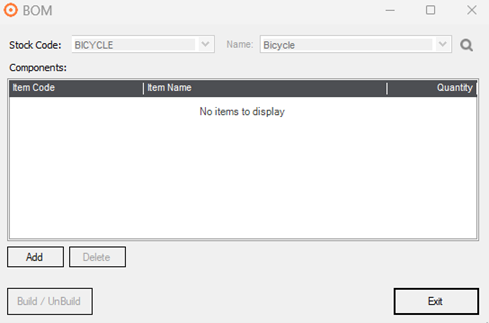
Select this button from your finished item, this will open the screen below which is where you add your build components. For example, here I am creating a Bicycle so I will need to add all the components to construct a Bicycle.
Click ‘Add’ to begin adding your components which will open this screen.
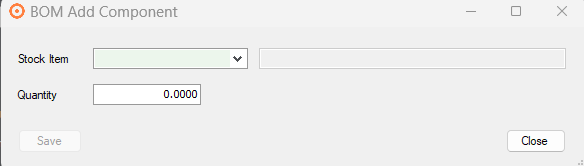
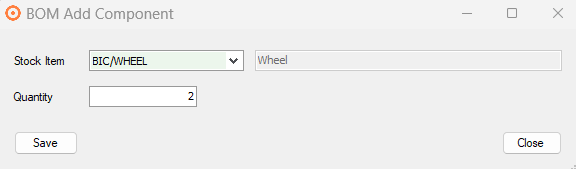
Within ‘Stock Item’ search the component stock code that you wish to add. You then add the quantity that will be used in the finished product (so, for example, to create 1 bike you will need 2 wheels) After you’ve filled in the quantity, tab and save.
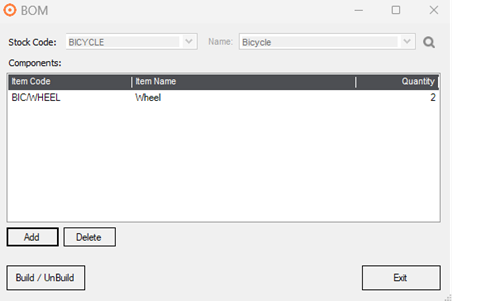
You then repeat this until you have added all the components that you need to create the finished product. You can also remove components by using the ‘Delete’ button.
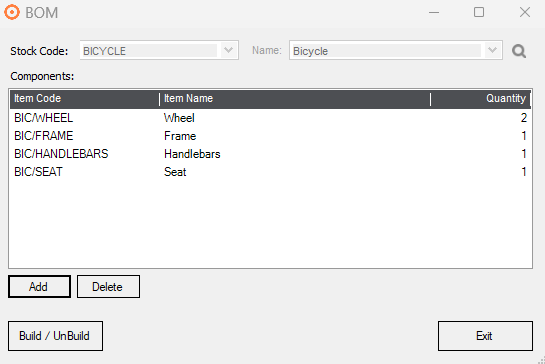
Once you have added all your components, select ‘Build/UnBuild’ which will open the screen below.
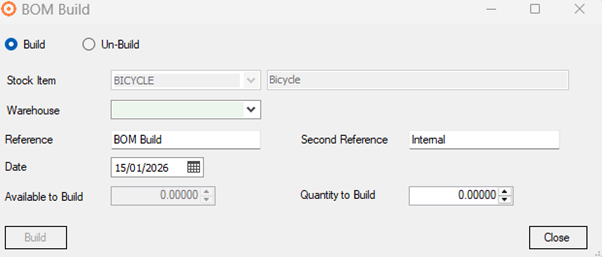
Firstly, you want to select your relevant Warehouse. This will reveal your ‘Available to Build’ quantity, then enter your ‘Quantity to Build’.
The ‘Second Reference’ field is available for free text entry.
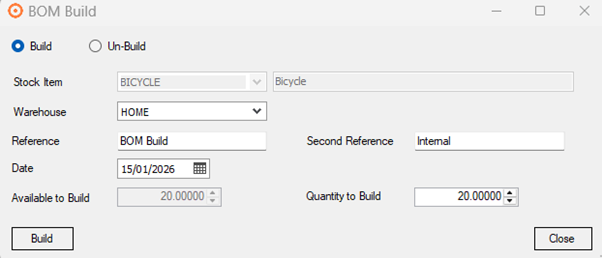
Once you have entered the quantity you would like to build select ‘Build’. This will take stock out of the components and add it to the finished item.
Un-build
Additionally, you can reverse the build by using the ‘UnBuild’ button if required.
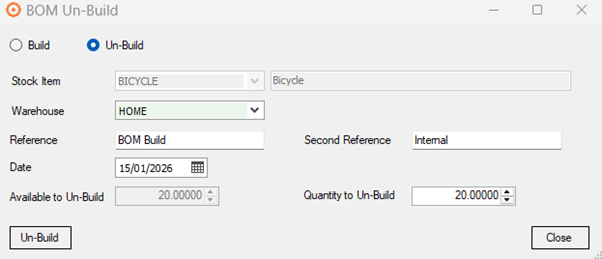
The same process is followed all the way through. Then when you reach the screen below select ‘Un-Build’ and this will take stock out of the finished item and put it back into the components.