Last updated: 19/02/2026.
User Help Guides
Courier Integration
Previously Eureka Dispatch Manager

Summary
This handy Eureka add-on lets you print courier labels directly from Sage, supports eight major couriers, and automatically logs consignment numbers with tracking links for easy shipment monitoring. Eureka Courier Integration is free of charge to all Eureka Business Solutions customers until 31st December 2026.
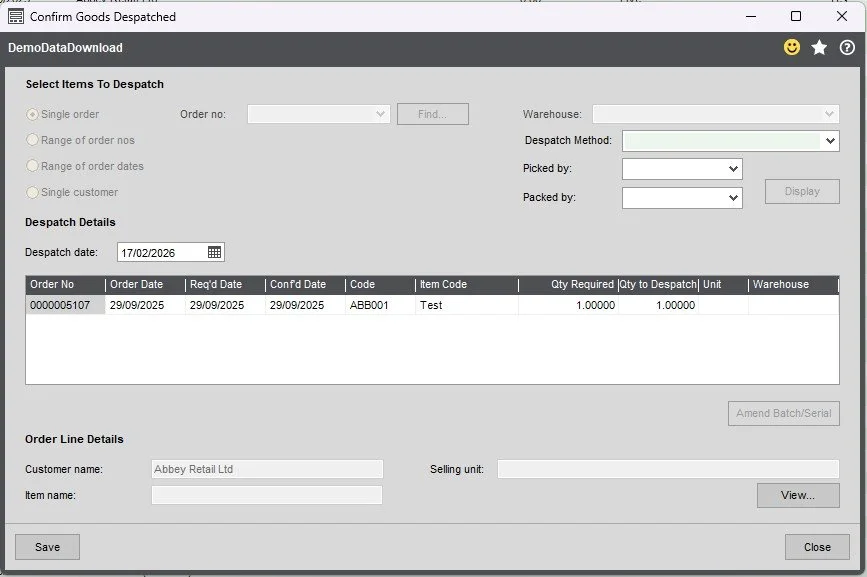
Below is the standard Sage screen used to despatch orders. Eureka Courier Integration enhances this screen by adding three additional dropdown fields:
Despatch Method
Picked By
Packed By
The Picked By and Packed By fields are optional and can be hidden if the customer prefers.
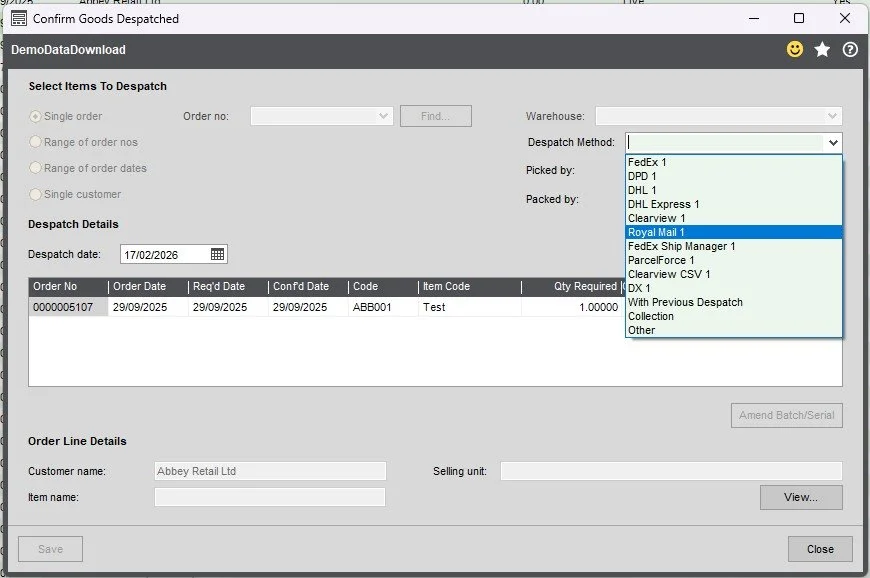
You will only see the couriers your system is integrated with. (In this example, more options are visible for demonstration purposes.)
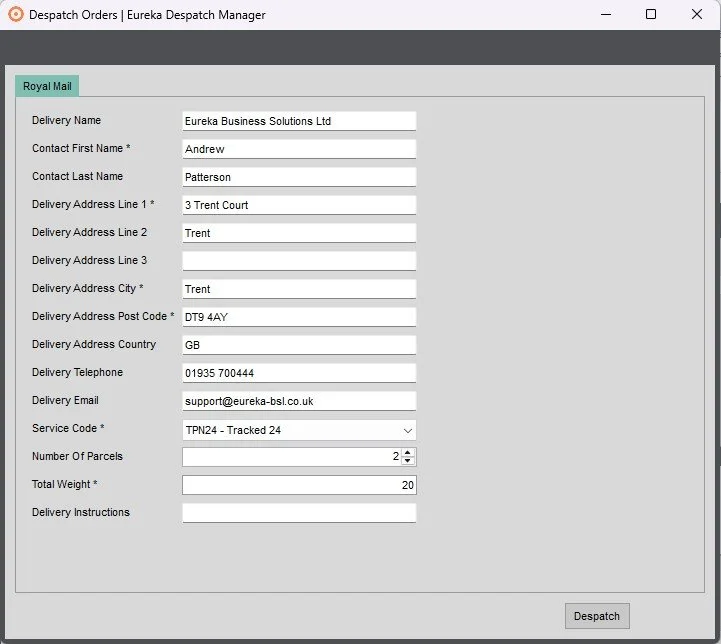
After selecting a Despatch Method and clicking Save, Sage will run its standard despatch process. Once this is complete, the Despatch Manager screen (shown below) will open.
The fields displayed on this screen will vary depending on the courier selected. Wherever possible, the system will automatically populate these fields using information from the Sales Order to minimise manual entry.
Review the details, complete any remaining required fields, and then click Despatch to proceed
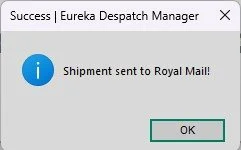
If the despatch is successful, you will see a confirmation message, as shown.